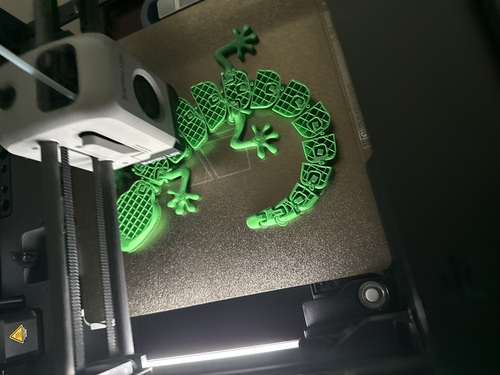
Turn digital designs into physical objects from your desktop. We evaluate print quality, speed, reliability,
and ease of use—not just marketing specs—to find 3D printers that actually deliver for beginners, hobbyists,
and professionals.
If you purchase through links on our site, we may earn an affiliate commission at no extra cost to you. This
helps support our research.
Why Trust This Guide?
3D printing in 2026 has moved far beyond the hobbyist-tinkering era. Modern printers arrive pre-assembled,
auto-calibrate in minutes, and produce production-quality parts at speeds that would have seemed impossible
three years ago. CoreXY motion systems, AI failure detection, and multicolor printing are now standard
features—even on budget machines under $300.
This guide covers the full spectrum: from an under $280 ultra-budget speed demon to a fully enclosed CoreXY flagship
with 16-color multicolor printing. Whether you're printing your first Benchy boat or manufacturing functional
prototypes, we've matched the right printer to your skill level, budget, and use case.
We evaluate each printer using a repeatable framework built from manufacturer specifications, professional
benchmark data, and analysis of thousands of verified customer reviews. We prioritize retail availability,
avoid pay-for-play placements, and update recommendations when hardware or firmware updates materially change
performance.
⚡ Quick Recommendations
Short on time? Here are our top picks by category. Scroll down for detailed reviews.
Answer a few quick questions and we'll recommend the best 3D printer for your specific needs.
1. What will you primarily print?
2. What's your budget?
3. What's your experience level?
🏆 Ranked 3D Printers (Best to Worst)
Each 3D printer gets a score out of 10 based on print quality, speed, ease of use, material compatibility, and
overall value. The list below is sorted from best to worst.
The Bambu Lab P1S Combo is the gold standard for consumer 3D printing in 2026. Its CoreXY motion system
prints at 500mm/s with 20,000mm/s² acceleration, completing a standard Benchy in under 18 minutes. The
fully enclosed chamber handles everything from PLA to ABS and ASA without warping, while the included
AMS enables seamless 4-color printing (expandable to 16 colors with additional AMS units). AI-powered
failure detection watches every print and alerts you to spaghetti or nozzle blobs before wasting
material.
500mm/s CoreXY speed with 20,000mm/s² acceleration
Fully enclosed chamber for ABS, ASA, and engineering filaments
AMS included for up to 16-color multicolor printing
AI failure detection with built-in camera and time-lapse
256 x 256 x 256 mm build volume, setup in 15 minutes
Field take: The P1S Combo has been the most recommended printer of the past two years
for good reason. It works reliably out of the box, produces excellent prints at speed, and the AMS
system makes multicolor printing accessible. The enclosed design means you can run ABS overnight
without worrying about warping or fumes.
Pros
Best-in-class ecosystem (Bambu Studio + MakerWorld)
Exceptional reliability—near-zero failed prints
Enclosed chamber handles engineering filaments
Multicolor AMS is the most mature system available
Cons
Proprietary ecosystem may concern open-source advocates
Filament purging in multicolor wastes material
Not carbon-fiber-ready without nozzle upgrade
Verdict: The best overall 3D printer for anyone who wants speed, quality, and
multicolor capability without the calibration headaches.
The Elegoo Centauri Carbon shattered expectations when it launched a fully enclosed CoreXY printer at
just $299. The integrated die-cast aluminum frame minimizes vibrations for clean prints at 500mm/s. Its
hardened steel 320°C nozzle handles carbon fiber-reinforced filaments right out of the box—a feature
that typically costs $500+ on competitors. The built-in camera captures time-lapse videos and the air
filtration system makes it safe for home office use.
500mm/s CoreXY speed with die-cast aluminum construction
Fully enclosed with air filtration and built-in camera
320°C hardened steel nozzle for carbon fiber filaments
256 x 256 x 256 mm build volume, full auto-calibration
LAN printing via web interface—no cloud required
Field take: The Centauri Carbon's build quality is remarkable for the price. The
aluminum chassis feels like a $600+ machine. Print quality in PLA and PETG matches the P1S in our
tests. The lack of native multicolor is the main trade-off, but for single-color enclosed printing,
nothing at this price comes close.
Pros
Unbeatable value—enclosed CoreXY for under $375
Carbon fiber-ready with hardened steel nozzle
No cloud dependency—full LAN control
Tank-like build quality for the price
Cons
No native multicolor system (yet)
Top panel must be removed for PLA (not hinged)
Elegoo slicer less polished than Bambu Studio
Verdict: The best value enclosed printer on the market. If you want speed, enclosure,
and carbon fiber capability without breaking the bank, this is it.
The Bambu Lab A1 Mini Combo eliminates every barrier that used to make 3D printing intimidating. Pull it
from the box, plug it in, run the 15-minute auto-calibration, and start printing—your first print comes
out perfect. At 48dB, it's quieter than a refrigerator. The included AMS Lite enables 4-color printing
without manual filament swapping, and the magnetic quick-swap nozzle system means maintenance takes
seconds, not minutes.
500mm/s speed, zero manual calibration required
AMS Lite included for 4-color multicolor printing
≤48 dB whisper-quiet operation—bedroom-safe
180 x 180 x 180 mm build volume, magnetic quick-swap nozzle
Bambu Studio + MakerWorld for one-click model printing
Field take: If someone asks "what 3D printer should I buy?" and they've never owned
one, this is the answer. The A1 Mini Combo turns 3D printing from a hobby about the printer into a
hobby about what you print. The 180mm build volume handles 80% of hobby prints, and the multicolor AMS
Lite is genuinely magical for first-timers.
Pros
Most beginner-friendly printer ever made
Whisper-quiet—usable in any room
4-color printing included for under $350
Near-zero failed prints with auto-calibration
Cons
180mm build volume limits larger projects
Open-frame design—not for ABS or engineering filaments
Proprietary ecosystem (no open-source firmware)
Verdict: The best entry point into 3D printing. Period. If the build volume is too
small, step up to the full-size A1.
The Creality K2 Combo brings 600mm/s CoreXY speed with CFS multicolor printing and open-source Klipper
firmware. Dual AI cameras monitor prints automatically, and the next-gen direct drive extruder handles
high-flow printing for faster results. The Klipper-based firmware with Fluidd web interface gives
advanced users full tuning control—something Bambu's closed ecosystem doesn't offer.
600mm/s CoreXY speed—fastest in its class
CFS 4-color system, expandable to 16 colors
Open-source Klipper firmware with Fluidd interface
Dual AI cameras for automatic print monitoring
260 x 260 x 260 mm build volume
Field take: The K2 Combo is the best choice for makers who want multicolor printing
and open-source freedom. The Klipper firmware means you can fine-tune every parameter, and the CFS
multicolor system is a solid Bambu AMS alternative. Print quality is excellent once dialed in, though
the initial learning curve is steeper than Bambu's plug-and-play approach.
Pros
Open-source Klipper with full tuning control
Fastest raw speed at 600mm/s
CFS multicolor rivals Bambu's AMS
Dual AI cameras for failure detection
Cons
Steeper learning curve than Bambu printers
Software ecosystem less polished than Bambu Studio
Creality's slicer needs improvement
Verdict: Best for tinkerers and open-source advocates who want multicolor printing
with full control over their machine.
The Creality K2 Plus Combo delivers a massive 350x350x350mm build volume—nearly triple the print area of
standard 256mm printers. The 600mm/s CoreXY system maintains speed even at this scale, and the CFS
multicolor system enables full-color large prints. Dual AI cameras and Klipper-based firmware provide
monitoring and full tuning control. Built for cosplay helmets, architectural models, and batch
production.
350 x 350 x 350 mm build volume—print helmets in one piece
600mm/s CoreXY speed with CFS multicolor system
Dual AI cameras and open Klipper firmware
Full auto-leveling with multi-point bed mesh
Next-gen direct drive extruder for high-flow printing
Field take: If you need to print large, the K2 Plus Combo is the clear choice. The
350mm build volume means single-piece helmets, large vases, and full-size prototypes without splitting
into multiple parts. Print quality at this scale is impressive, though large ABS prints still benefit
from careful chamber temperature management.
Pros
Massive build volume for one-piece large prints
600mm/s speed even at large scale
CFS multicolor for full-color large objects
Open Klipper firmware for full control
Cons
Large footprint—needs significant desk space
40 lbs makes it hard to move
Large prints consume significant filament and time
Verdict: The best large-format 3D printer for cosplay, architecture, and anyone who
needs to print big without splitting models.
The Elegoo Saturn 4 Ultra produces detail that FDM printers simply cannot match. Its 10-inch 16K mono
LCD (11520 x 5120 pixels) resolves features finer than a human hair, making it ideal for tabletop
miniatures, jewelry masters, and dental models. Smart tank heating maintains 30°C resin temperature for
consistent layer adhesion, and the 150mm/h print speed processes entire build plates of miniatures in
hours, not days.
10-inch 16K mono LCD—11520 x 5120 pixel resolution
150mm/h print speed for rapid batch production
Smart tank heating at 30°C for consistent results
211.7 x 118.4 x 220 mm build volume (8.33 x 4.66 x 8.66 in)
Flip-up lid design for easy access
Field take: If you paint miniatures, make jewelry, or need dental-quality detail, the
Saturn 4 Ultra delivers detail that will blow your mind. The 16K resolution means individual scale
textures on a 28mm miniature are clearly visible. However, resin printing requires a well-ventilated
space, nitrile gloves, IPA wash station, and UV curing equipment—factor $100-150 for post-processing
accessories.
Pros
16K resolution produces jaw-dropping detail
Smart tank heating eliminates cold-weather failures
Large resin build plate for batch miniatures
Fast 150mm/h print speed
Cons
Requires ventilation—resin fumes are toxic
Post-processing adds $100-150 in equipment
Resin prints are brittle compared to FDM filament
Verdict: The best resin printer for miniatures, jewelry, and dental models. Not a
first printer—but the best at what it does.
The FlashForge Adventurer 5M delivers the fastest raw speed under $300 with its 600mm/s CoreXY system.
The 3-second quick-detach nozzle system makes maintenance trivially easy, and the dual-sided PEI build
plate provides excellent adhesion with easy part removal. One-click auto-calibration handles leveling,
vibration compensation, and pressure advance automatically.
600mm/s CoreXY speed—fastest under $300
3-second quick-detach nozzle for instant swaps
Full auto-calibration with one-click setup
220 x 220 x 220 mm build volume, dual-sided PEI plate
All-metal CoreXY structure for vibration-free printing
Field take: The AD5M competes directly with the Elegoo Centauri Carbon at the same
price point but takes a different approach—raw speed over enclosure. The 600mm/s actual printing speed
(not just claimed) is impressive, and the quick-swap nozzle system is the best maintenance feature in
budget printers. No enclosure means ABS is off the table, but PLA and PETG print beautifully.
Pros
Fastest printer in its price class at 600mm/s
Industry-best nozzle swap system (3 seconds)
Solid all-metal construction
Clean one-click calibration
Cons
No enclosure—PLA and PETG only
280°C max nozzle temp limits material options
No native multicolor system
Verdict: Best ultra-budget speed demon. If you print mostly PLA and want the fastest
possible prints under $300, this is it.
The Anycubic Kobra S1 pairs an enclosed CoreXY design with HEPA and activated carbon filtration for safe
indoor printing. The LeviQ 3.0 auto-leveling system handles bed compensation automatically, and the
300°C hardened steel nozzle supports engineering filaments including carbon fiber composites. AI print
monitoring catches failures early to save material and time.
Enclosed CoreXY with HEPA + carbon air filtration
600mm/s speed with LeviQ 3.0 auto-leveling
300°C hardened steel nozzle for engineering materials
AI print monitoring with built-in camera
220 x 220 x 250 mm build volume
Field take: The Kobra S1 distinguishes itself with genuine air filtration—the HEPA +
carbon filter combination actually removes fumes and particles, making it the safest budget enclosed
printer for bedrooms, offices, and homes with children or pets. Print quality is good though not quite
at Bambu P1S levels, and the software ecosystem needs polish.
Pros
Best air filtration in a budget printer
Enclosed + HEPA makes it bedroom-safe
Hardened nozzle handles carbon fiber
Solid build quality from trusted brand
Cons
Software ecosystem less mature than competitors
No multicolor system available
Smaller build volume than 256mm class printers
Verdict: Best entry-level enclosed printer for safety-conscious buyers who want air
filtration and a trusted brand.
Our recommendations combine specification analysis with comprehensive research across professional benchmarks,
verified customer reviews, and community feedback:
Print Quality Assessment
Benchmark prints: Standard 3DBenchy, calibration cubes, and overhang tests analyzed across
professional reviews
Surface finish: Layer visibility, ghosting/ringing artifacts, and dimensional accuracy data
from verified users
Multi-material quality: Color bleed, transition cleanliness, and purge waste analysis from
community reports
Long-term consistency: User feedback on print quality retention over hundreds of hours of
operation
Speed & Reliability
Actual vs. claimed speed: Real-world speed benchmarks from independent reviewers, not just
spec sheet numbers
Failure rates: User-reported print success rates and common failure modes across major
review platforms
Auto-calibration effectiveness: How well each printer's auto-leveling and calibration
performs in real-world conditions
First-print success: Out-of-box experience data from verified new buyers
Ease of Use
Setup time: Unboxing to first print time from user reports and reviewer benchmarks
Software quality: Slicer usability, model library access, and remote monitoring
capabilities
Maintenance burden: Nozzle change frequency, cleaning requirements, and common maintenance
issues
Community support: Documentation quality, forum activity, and manufacturer responsiveness
📊 Our Approach: We evaluate 3D printers using a repeatable framework built from manufacturer
specifications, professional benchmark data, and analysis of thousands of verified customer reviews. We
prioritize retail availability, avoid pay-for-play placements, and update recommendations when firmware or
hardware updates materially change performance.
Last updated: April 12, 2026 | Next scheduled review: Q3 2026 (or sooner if
major releases occur)
🛒 Buyer's Guide: FDM vs Resin 3D Printers
Choosing between FDM and resin is the most important decision in buying a 3D printer. Here's what you need to
know:
Large prints: Build volumes up to 350mm+ for helmets and props
Low consumable cost: $15-25 per 1kg spool, most prints cost under $2
Safe and clean: PLA is non-toxic, minimal post-processing required
Functional parts: Prints are strong enough for real-world mechanical use
Cons:
Visible layer lines: Even the best FDM printers show some layering
Limited fine detail: Small features under 0.5mm are difficult
Support material waste: Complex geometries require disposable support structures
Resin (MSLA/DLP)
Pros:
Incredible detail: 16K resolution captures features finer than human hair
Smooth surfaces: No visible layer lines at normal viewing distances
Speed: Entire layers cure simultaneously, fast for batch miniatures
Cons:
Safety requirements: Liquid resin is toxic—requires ventilation, gloves, and eye protection
Post-processing: Every print needs IPA washing and UV curing ($100-150 in equipment)
Brittle results: Standard resin prints are more fragile than FDM filament parts
Smaller build volumes: Most resin printers max at ~200mm in any dimension
Higher consumable cost: $30-50 per liter of resin
Our Recommendation
Start with FDM unless miniature detail or jewelry is your specific primary goal. FDM printers
are safer, cleaner, cheaper to operate, and more versatile. You can always add a resin printer later for
detail-specific projects. All seven of our FDM picks in this guide use the same 1.75mm filament standard, so
supplies are universally compatible.
🚫 5 Costly Mistakes to Avoid When Buying a 3D Printer
Starting with resin when FDM would serve you better
Reality: Resin printers produce stunning detail but require ventilation, PPE, wash
stations, and UV curing equipment. First-time buyers often underestimate the post-processing burden.
Unless miniatures or jewelry detail is your primary goal, start with FDM—it's safer, cleaner, and far more
versatile.
Choosing based on max speed alone
A printer claiming 600mm/s sounds impressive, but real-world quality prints typically run at 200-350mm/s.
Focus on acceleration (mm/s²) and motion system (CoreXY vs. Cartesian) over peak speed. A 500mm/s printer
with 20,000mm/s² acceleration produces better results than a 600mm/s printer with 10,000mm/s²
acceleration.
Skipping the enclosure to save money
An open-frame printer works great for PLA and PETG but fails with ABS, ASA, Nylon, and
Polycarbonate—materials that warp without consistent chamber temperatures. If you plan to explore
engineering materials within the first year, buy an enclosed printer from the start. The
Elegoo Centauri Carbon offers a fully enclosed CoreXY for under $375.
Ignoring the software ecosystem
The slicer software matters as much as the hardware. Bambu Studio + MakerWorld provides the most polished
end-to-end experience but locks you into their ecosystem. Klipper-based printers (Creality, Elegoo) offer
more flexibility but require more setup knowledge. Evaluate the software before buying the hardware.
Not budgeting for filament and accessories
The printer is just the start. Budget $50-100 for initial filament (3-5 spools), $15-25 for a tool kit
(flush cutters, spatula, nozzle cleaning needles), and potentially $100-150 for a resin wash/cure station.
Total first-year cost is typically 30-50% above the printer price.
Serious hobbyists, small businesses, Etsy sellers, educators
Best value sweet spot (2026): The $299-$599 range delivers the optimal
balance of speed, enclosure, and features. Machines in this range offer CoreXY motion, 500-600mm/s printing,
auto-calibration, and multicolor options that rival $1,000+ printers from two years ago.
⚠️ Limitations & When NOT to Buy a 3D Printer
3D printers are incredibly capable, but they're not the right tool for every job:
You Need Mass Production
3D printing excels at prototyping and small batches (1-50 units) but can't compete with injection molding for
thousands of identical parts. For production runs over 100 units, injection molding becomes more
cost-effective per unit.
You Need Food-Safe or Medical-Grade Parts
Standard FDM prints have microscopic gaps between layers where bacteria can grow. While food-safe filaments
exist, the printing process itself doesn't guarantee food safety. For medical or food applications, consult
regulatory requirements before relying on 3D printed parts.
You Want Instant Gratification
Even fast printers take 30 minutes to several hours per print. Learning the basics of 3D modeling, slicing,
and material selection takes time. If you need parts immediately, a local maker space or print service (e.g.,
Craftcloud, Shapeways) may be faster for one-off projects.
💡 Hybrid Approach: Many successful makers combine home printing for prototyping and
iteration with professional print services for final production parts that need specific materials or
tolerances their home printer can't achieve.
🔧 Maintenance & Longevity Tips
FDM Printer Maintenance
Nozzle replacement: Standard brass nozzles last 3-6 months with PLA/PETG. Carbon fiber
filaments require hardened steel nozzles and wear them faster.
Build plate care: Clean with 90%+ IPA between prints. Replace textured PEI sheets every
6-12 months or when adhesion declines.
Lubrication: Apply light machine oil to linear rails every 200-300 print hours. Dry
bearings cause noise and reduced accuracy.
Belt tension: Check every 500 hours. Loose belts cause layer shifting and ghosting
artifacts.
Filament storage: Keep filament in sealed bags with desiccant. Wet filament causes
stringing, popping, and weak layer adhesion.
Resin Printer Maintenance
FEP film replacement: Replace the vat's FEP film every 20-30 liters of resin or when
clouding/scratching appears
LCD screen lifespan: Mono LCDs last 2,000-3,000+ hours. Budget for replacement after 2-3
years of regular use.
Resin expiration: Most resins have a 12-18 month shelf life. Store sealed, away from UV
light, at room temperature.
Safety equipment: Replace nitrile gloves per session. Change IPA wash when it becomes
cloudy. UV-cure waste resin before disposal.
📅 Maintenance Schedule:
Every print: Remove debris from build plate; check nozzle for clogs
Monthly: Clean linear rails; check belt tension; update firmware
Quarterly: Replace nozzle if using standard brass; deep-clean extruder gears
Annually: Replace build surface; inspect wiring; re-grease Z-axis lead screws
❓ Frequently Asked Questions
What is the best 3D printer in 2026?
The Bambu Lab P1S Combo is our top overall pick, offering the best
balance of 500mm/s speed, print quality, 16-color multicolor capability, and ease of use in a fully enclosed
CoreXY design. For budget buyers, the Elegoo Centauri Carbon delivers
exceptional value for under $375. For beginners, the
Bambu Lab A1 Mini Combo is the definitive starter printer.
Should I get an FDM or resin 3D printer?
FDM printers are the right choice for 95% of beginners and hobbyists. They handle functional parts,
household items, cosplay props, and large objects well. Resin printers produce jaw-dropping detail for
miniatures, jewelry, and dental models but require ventilation, nitrile gloves, IPA wash stations, and UV
curing equipment. Start with FDM unless ultra-fine detail is your specific goal.
What is CoreXY and why does it matter?
CoreXY is a motion system where the print head moves in X and Y while the bed only moves on Z. This reduces
inertia and enables faster, more precise movements than Cartesian bedslingers where the bed moves back and
forth. CoreXY printers routinely achieve 500-600mm/s speeds with excellent quality.
Do I need an enclosed 3D printer?
An enclosure is essential for ABS, ASA, Nylon, and Polycarbonate that warp without consistent chamber
temperatures. For PLA and PETG, enclosure is nice but not required. Enclosures also reduce noise, contain
fumes, and improve safety. If you plan to explore materials beyond PLA, invest in enclosed from the start.
How much does 3D printing cost per print?
PLA filament costs $15-25 per 1kg spool, making typical prints $0.30-$2.50 in material. Electricity adds
roughly $0.02-0.10 per print. Resin costs $30-50 per liter with typical prints at $0.60-$2.50. Ongoing costs
include nozzle replacements ($5-15 every 3-6 months) and occasional build plate replacement.
What filament should beginners start with?
PLA is the ideal starter filament: low temperatures (190-220°C), no warping, minimal odor, works on any
printer. Once comfortable, try PETG for stronger functional parts, then TPU for flexible items. ABS and
Nylon require enclosed printers and more experience.
Is multicolor 3D printing worth the extra cost?
Multicolor adds $100-250 to cost and increases print time 30-100% due to filament changes and purging. Worth
it for decorative models, branded prototypes, and prints with text/logos. For functional parts and
engineering, single-color is usually sufficient. Bambu AMS and Creality CFS are the most reliable systems.
How fast can modern 3D printers print?
Top CoreXY printers reach 500-600mm/s with 10,000-20,000mm/s² acceleration. A Benchy that took 2+ hours in
2020 now completes in under 20 minutes. Practical speeds of 200-350mm/s deliver the best balance of speed
and quality for everyday printing.
Can 3D printers print carbon fiber?
Yes, but only with a hardened steel nozzle. Carbon fiber-reinforced filaments (PLA-CF, PETG-CF, Nylon-CF)
are extremely abrasive and will destroy standard brass nozzles within hours. The
Elegoo Centauri Carbon ships with a 320°C hardened steel nozzle for
this purpose, and the Anycubic Kobra S1 includes a 300°C hardened steel
nozzle. Carbon fiber prints are significantly stronger and lighter than standard filaments.
How loud are 3D printers?
The Bambu Lab A1 Mini operates at just 48dB—quieter than a library.
Most enclosed CoreXY printers produce 45-55dB during normal printing. Fan noise during cooling is typically
loudest. For bedroom or office use, look for printers rated under 50dB. Resin printers are nearly silent.
👤 About the Author
I'm Michael Taft, founder of Products For Our Lives. This site exists to share the same research my son and I do before
buying gear we actually rely on—whether that's outdoors, at home, or in the workshop.
3D printing became important to me because as a software engineer with a Computer Engineering Technology
degree, I appreciate tools that bridge the digital-physical gap. From prototyping custom enclosures for
electronics projects to printing replacement parts around the house, a reliable 3D printer has become as
essential as any other tool in my workshop.
Evaluation background: B.S. in Computer Engineering Technology; Director of Software
Engineering; former electrician. Hands-on experience with FDM and resin printing technologies.
Methodology: I focus on practical questions—print quality at speed, auto-calibration
reliability, material compatibility, software usability, and long-term owner satisfaction. I verify
manufacturer specs, compare similarly priced alternatives, and weigh verified customer feedback to identify
real-world performance patterns.
April 14, 2026: Published after refining lineup to 8 evaluated models after removing two discontinued Bambu
Lab SKUs; rankings, comparison table, and buyer's guide updated accordingly
April 9, 2026: Complete guide launch with interactive quiz, comparison table, and
comprehensive buyer's guide
March 2026: Initial research and market analysis completed
We continuously research new models and update this guide to reflect the latest products and real-world
performance data. Next scheduled update: July 2026